> ## Documentation Index
> Fetch the complete documentation index at: https://buildfunctions.mintlify.site/llms.txt
> Use this file to discover all available pages before exploring further.
# SDK Quickstart - Docs
> Deploy with the Buildfunctions SDK
## Get Started
```bash npm theme={null}
npm install buildfunctions
```
```bash yarn theme={null}
yarn add buildfunctions
```
```bash pnpm theme={null}
pnpm add buildfunctions
```
```bash pip theme={null}
pip install buildfunctions
```
Mojo coming soon! 🔥
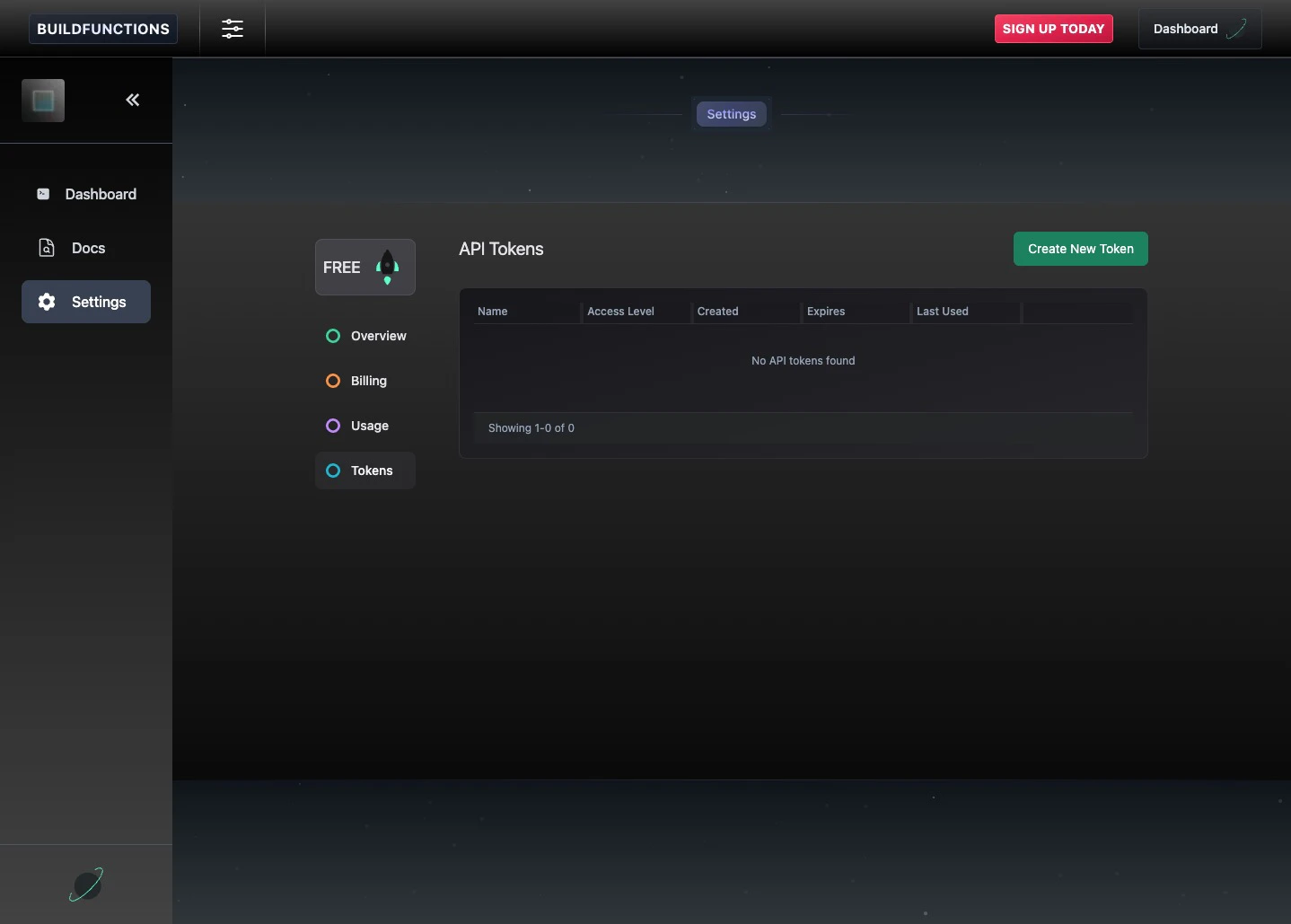
Create an API token at [https://www.buildfunctions.com/settings](https://www.buildfunctions.com/settings)
 Write your agent app code and authenticate with the Buildfunctions SDK:
```javascript theme={null}
...
const apiToken = process.env.BUILDFUNCTIONS_API_TOKEN
if (!apiToken) {
return new NextResponse('Missing BUILDFUNCTIONS_API_TOKEN', { status: 500 })
}
// Authenticate with a Buildfunctions API token
await Buildfunctions({ apiToken })
...
```
```javascript theme={null}
...
// Create a GPU Sandbox with Python and PyTorch
const sandbox = await GPUSandbox.create({
name: 'secure-agent-action',
memory: '50000MB',
gpu: 'T4G',
timeout: 1200, // 24 hours max
language: 'python', // language available within sandbox
code: inferenceCode, // inline code or path to file
requirements: ['transformers', 'torch', 'accelerate'], // python dependencies
model: '/path/to/models/Qwen/Qwen3-8B', // path to folder with models can be local or remote (e.g., Hugging Face)
})
// Run inference within hardware-isolated VM (full GPU access)
const result = await sandbox.run()
...
```
```python theme={null}
...
sandbox = await GPUSandbox.create({
"name": "my-gpu-sandbox",
"language": "python",
"memory": 10000,
"timeout": 300,
"vcpus": 6,
"code": "./gpu_sandbox_code.py",
"model": "/path/to/models/Qwen/Qwen3-8B",
"requirements": "torch",
})
result = await sandbox.run()
...
```
Help keep your agent running unattended. Runtime Controls wrap function calls with composable guardrails — no API key required.
```javascript theme={null}
import { RuntimeControls } from 'buildfunctions'
const controls = RuntimeControls.create({
maxToolCalls: 50,
timeoutMs: 30_000,
retry: { maxAttempts: 3, initialDelayMs: 200, backoffFactor: 2 },
loopBreaker: { warningThreshold: 5, quarantineThreshold: 8, stopThreshold: 12 },
onEvent: (event) => console.log(`[controls] ${event.type}: ${event.message}`),
})
const guardedFetch = controls.wrap({
toolName: 'api-call',
runKey: 'agent-run-1',
destination: 'https://api.example.com',
run: async ([payload]) => {
const res = await fetch('https://api.example.com/data', {
method: 'POST',
body: JSON.stringify(payload),
})
return res.json()
},
})
const result = await guardedFetch({ query: 'latest results' })
// Reset budget counters when starting a new run
await controls.reset('agent-run-1')
```
Works standalone or combined with Buildfunctions hardware-isolated sandboxes. For backend-specific integrations, validate behavior with your own integration tests. See the full [Runtime Controls](/docs/runtime-controls) docs for all control layers.
Buildfunctions is currently in its beta stage. If you encounter any issues or have specific syntax requirements, please reach out and [contact us](https://www.buildfunctions.com/contact), and we’ll work to address them.
Write your agent app code and authenticate with the Buildfunctions SDK:
```javascript theme={null}
...
const apiToken = process.env.BUILDFUNCTIONS_API_TOKEN
if (!apiToken) {
return new NextResponse('Missing BUILDFUNCTIONS_API_TOKEN', { status: 500 })
}
// Authenticate with a Buildfunctions API token
await Buildfunctions({ apiToken })
...
```
```javascript theme={null}
...
// Create a GPU Sandbox with Python and PyTorch
const sandbox = await GPUSandbox.create({
name: 'secure-agent-action',
memory: '50000MB',
gpu: 'T4G',
timeout: 1200, // 24 hours max
language: 'python', // language available within sandbox
code: inferenceCode, // inline code or path to file
requirements: ['transformers', 'torch', 'accelerate'], // python dependencies
model: '/path/to/models/Qwen/Qwen3-8B', // path to folder with models can be local or remote (e.g., Hugging Face)
})
// Run inference within hardware-isolated VM (full GPU access)
const result = await sandbox.run()
...
```
```python theme={null}
...
sandbox = await GPUSandbox.create({
"name": "my-gpu-sandbox",
"language": "python",
"memory": 10000,
"timeout": 300,
"vcpus": 6,
"code": "./gpu_sandbox_code.py",
"model": "/path/to/models/Qwen/Qwen3-8B",
"requirements": "torch",
})
result = await sandbox.run()
...
```
Help keep your agent running unattended. Runtime Controls wrap function calls with composable guardrails — no API key required.
```javascript theme={null}
import { RuntimeControls } from 'buildfunctions'
const controls = RuntimeControls.create({
maxToolCalls: 50,
timeoutMs: 30_000,
retry: { maxAttempts: 3, initialDelayMs: 200, backoffFactor: 2 },
loopBreaker: { warningThreshold: 5, quarantineThreshold: 8, stopThreshold: 12 },
onEvent: (event) => console.log(`[controls] ${event.type}: ${event.message}`),
})
const guardedFetch = controls.wrap({
toolName: 'api-call',
runKey: 'agent-run-1',
destination: 'https://api.example.com',
run: async ([payload]) => {
const res = await fetch('https://api.example.com/data', {
method: 'POST',
body: JSON.stringify(payload),
})
return res.json()
},
})
const result = await guardedFetch({ query: 'latest results' })
// Reset budget counters when starting a new run
await controls.reset('agent-run-1')
```
Works standalone or combined with Buildfunctions hardware-isolated sandboxes. For backend-specific integrations, validate behavior with your own integration tests. See the full [Runtime Controls](/docs/runtime-controls) docs for all control layers.
Buildfunctions is currently in its beta stage. If you encounter any issues or have specific syntax requirements, please reach out and [contact us](https://www.buildfunctions.com/contact), and we’ll work to address them.